 Spot Startups
How to Start a Faceless Video Channel Using AI Tools in 2026
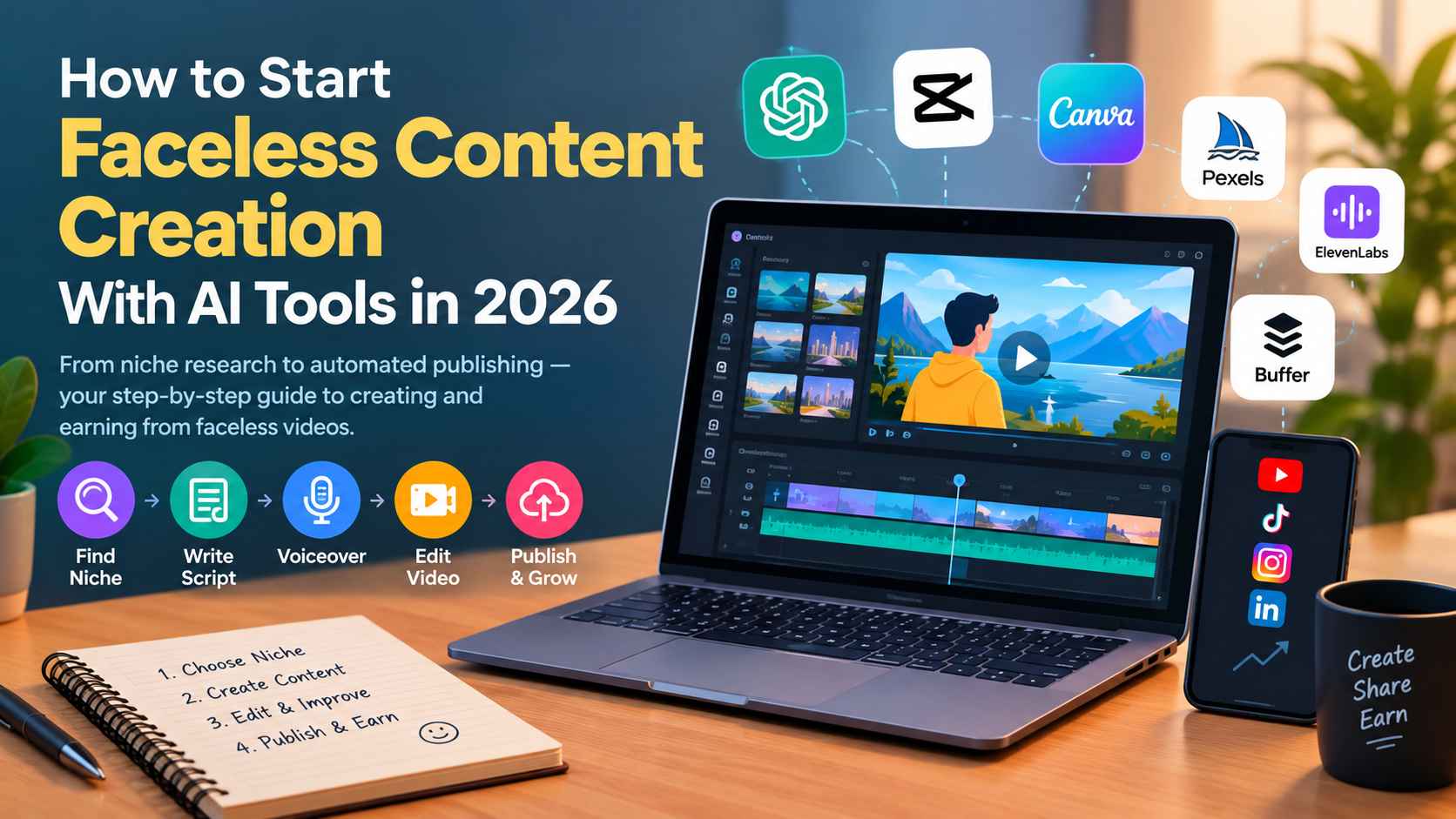
In 2026 to become a successful content creator you don't need camera, studio, or even the confidence to appear in front of a camera. Today, AI can do it for you without showing your face.
This approach is known as faceless content creation, and it gives beginners an opportunity to earn from YouTube, Instagram Reels, TikTok, Facebook, and other video platforms.
But there is one important difference between creating videos and building a profitable content channel. To start this, you need a good niche, interesting ideas, a repeatable production process, and content that people actually want to watch.
In this guide, I'll walk through the entire process of starting a faceless video channel, including the AI tools you can use at every stage, their features, and their pricing.
What Is Faceless Content Creation?
Lets understand first what is faceless content creation meaning? Producing videos without making your face the main focus of the content. Instead of appearing on camera, you communicate through narration, visuals, animations, text, screen recordings, or a combination of these.
For example, imagine you want to create a YouTube channel about personal finance. You could explain how compound interest works using animated charts, illustrative footage, and an AI-generated voiceover. Viewers learn from your video without ever seeing you.
Other examples include:
History videos using archival images, maps, and narration.
Technology tutorials using screen recordings.
Travel videos featuring licensed footage and location guides.
Motivational videos with original scripts and visual storytelling.
Educational Shorts explaining science, business, or interesting facts.
Product comparisons using demonstrations, graphics, and narration.
The important thing is that the content provides value. Being faceless is simply a production choice, not a content strategy by itself.
Is Faceless Content Creation Worth Exploring in 2026?
AI has made video production work more easy. A beginner can research a topic, draft a script, generate narration, source visuals, edit a video, and schedule posts without hiring a production team.
There is also an established market for digital video content. Creators can earn through platform advertising, sponsorships, affiliate marketing, memberships, and their own products.
However, the opportunity comes with competition. AI makes it easier for everyone to produce videos, so generic content is becoming less distinctive. Original research, useful explanations, storytelling, and a recognizable style are increasingly important.
What do real-world examples tell us?
Consider two examples of faceless content businesses:
The Infographics Show: This YouTube channel shows how educational entertainment can build a large audience using animation, narration, and visual storytelling instead of a presenter appearing on camera. Its success illustrates the potential of a repeatable, topic-focused video format, although its actual earnings should not be assumed from its view count.
A published faceless-channel case study: MoneyForge reported a personal-finance YouTube channel with approximately 182,000 subscribers and estimated monthly revenue of $4,200 from advertising, plus $800–$1,200 from affiliate income, in July 2026. These are reported estimates, not independently audited earnings, so they should be treated as an illustrative example rather than a typical result. Read the case study.
The takeaway is simple: faceless channels can become businesses, but success depends on audience demand, content quality, consistency, and monetization—not simply on using AI.
The Complete AI Workflow for Creating Faceless Videos
Here's a practical workflow you can follow, from choosing your niche to publishing your first video.
Stage 1: Find a Profitable Content Niche
Your first decision is what your channel will be about. Don't choose a niche simply because you saw another creator making money from it. Choose a subject that has audience demand and enough interesting topics to support dozens or hundreds of videos.
Some niches worth exploring include:
Personal finance and money education.
AI tools and technology tutorials.
History, geography, and educational storytelling.
Productivity and career advice.
Science and interesting facts.
Software tutorials and product comparisons.
Travel guides and destination explainers.
Use these tools to investigate your options.
Tool 1: Google Trends
Google Trends helps you compare interest in search topics over time. You can explore seasonal demand, compare related subjects, and identify topics gaining attention.
For example, if you are considering an AI tools channel, compare interest in AI video editing, AI image generation, and AI productivity tools. This helps you decide which subjects deserve further research.
Best for: Comparing topics and identifying trends.
Pricing: Free.
Tool 2: vidIQ
vidIQ is a YouTube research and optimization tool. Its keyword research features provide estimated search volume, competition information, related keywords, and questions people search for.
For example, instead of creating a broad video called "AI Tools," you might discover a more specific topic such as "How to Create YouTube Shorts With AI." Specific topics can give you a clearer starting point.
Best for: YouTube keyword research and competitor analysis.
Pricing: Free tools are available; paid plans and feature limits vary.
My suggestion: Start with three possible niches. Find at least 30 video ideas for each, then compare their audience demand, competition, production difficulty, and potential monetization options. Pick the niche you can consistently create useful content for.
Stage 2: Research Video Ideas and Write Scripts
Once you have a niche, you need a steady supply of video ideas. You also need scripts that keep viewers interested rather than simply reading information aloud.
Tool 3: ChatGPT
ChatGPT can help brainstorm topics, organize research, create video outlines, develop hooks, and write narration.
For example, you could ask:
"Give me 20 YouTube Shorts ideas for beginners learning personal finance. For each idea, suggest a strong opening hook, three key points, and a practical takeaway."
After selecting an idea, ask it to create a script with a compelling opening, a clear explanation, and a satisfying conclusion.
Best for: Brainstorming, outlining, script drafting, and repurposing ideas.
Pricing: Free access is available; paid plans offer additional capabilities.
Always verify factual claims, especially for finance, health, history, and news. Add your own research, examples, and perspective instead of publishing an unedited AI-generated script.
Tool 4: Google Trends
You can return to Google Trends to validate individual ideas and spot seasonal opportunities. For YouTube-specific research, vidIQ can help you assess relevant keywords and competing videos.
A useful rule is to start with a specific question people want answered. "Why do credit cards charge interest?" is a clearer video idea than simply "Money facts."
Stage 3: Generate a Natural Voiceover
Your script is ready, but you don't want to record your own voice. AI text-to-speech tools can turn written narration into audio.
Tool 5: ElevenLabs
ElevenLabs generates AI speech in a range of voices and languages. You can paste your script, choose a voice, adjust the delivery where supported, and export narration for your video editor.
It is particularly useful for documentary-style videos, explainers, educational content, and short-form storytelling.
Best for: Natural-sounding narration and multilingual voiceovers.
Pricing: A free plan is available. Paid plans include Starter, listed at $6 per month, and Creator, listed at $22 per month at standard pricing on the official pricing page. Promotional prices may differ.
Before generating the entire narration, create a short sample. Check pronunciation, pacing, pauses, and whether the voice matches your channel's personality.
You can also record your own narration without appearing on camera. A real voice can be a useful way to build a recognizable identity.
Stage 4: Create Visuals and Find Footage
Now you need something viewers can see while listening to your narration. Depending on your niche, this could be stock footage, animated graphics, screenshots, diagrams, AI-generated images, or original screen recordings.
Tool 6: Pexels
Pexels provides stock photos and videos that can be used to illustrate scenes in your content. For example, a video about productivity could use footage of someone working at a desk, while a travel explainer might feature city and landscape footage.
Best for: Finding supporting stock footage and photographs.
Pricing: Free to use under the platform's license, subject to its terms and restrictions.
Always check the applicable license and any restrictions before publishing. Avoid assuming that every asset found online is free to reuse.
Tool 7: Canva
Canva is a design platform with video editing, templates, graphics, animations, and AI-assisted creative features. You can create visual explanations, animated text, diagrams, title cards, and simple motion graphics.
For a technology channel, you could use Canva to highlight three key features of an application. For an educational channel, you could animate a simple diagram explaining a scientific concept.
Best for: Graphics, simple animations, visual explanations, and branded assets.
Pricing in India: Canva Free costs ₹0 per year. Canva Pro is listed at ₹4,000 per year for an individual on its India pricing page; plan availability and offers can change.
For beginners, combining free stock footage with original graphics is often enough. You don't need to generate every visual using AI.
Stage 5: Turn Your Script and Visuals Into a Video
This is where the pieces come together. You need to match your narration with suitable visuals, add subtitles, adjust timing, and create a finished video.
There are two main approaches: let an AI video generator assemble much of the video for you, or use a video editor to build the final result yourself.
Tool 8: InVideo AI
InVideo AI can help turn a written prompt or script into a video by assembling narration, visuals, and other elements. Depending on the plan and workflow, you can generate drafts and revise them using text instructions.
For example, you could provide a script explaining five useful AI tools and ask the platform to create a vertical video with relevant visuals and captions. You should still check the selected footage, factual accuracy, pacing, and final composition.
Best for: Quickly generating first drafts and assembling narrated videos.
Pricing: A free option is listed, with limited weekly AI minutes and watermarked exports. Paid plans use credits and have different limits. Check the official pricing page before subscribing.
Tool 9: Pictory
Pictory focuses on AI-assisted video creation from scripts and text. It can match narration with stock footage, add captions, and help create videos without filming yourself.
This is useful for educational explainers, list-based videos, and turning researched material into narrated visual content.
Best for: Script-to-video production, captions, and stock-footage-based explainers.
Pricing: The official page lists a Starter plan at $29 per month or $25 per month when billed annually, with higher plans available. Features and usage limits depend on the plan. See pricing.
Tool 10: CapCut
CapCut is a video editor suited to short-form videos and social media content. Its editing tools include features such as automatic captions, transitions, effects, and audio editing, although availability can vary by device and region.
Use it when you want greater control over timing, subtitles, music, and the overall style of a Reel, Short, or TikTok video.
Best for: Editing vertical videos and adding captions and effects.
Pricing: Free tools are available; Pro features and prices vary by region and platform.
Tool 11: Descript
Descript is a video and audio editor that lets you edit recordings through their transcripts. It also offers AI-assisted features for cleaning audio, removing filler words, and editing video.
For a faceless educational channel, it can be particularly useful when working with long narration or screen recordings. You can edit the transcript and make corresponding changes to the video rather than relying entirely on a traditional timeline.
Best for: Transcript-based editing, narration cleanup, and screen-recorded tutorials.
Pricing: Free plan available. The Hobbyist plan is listed at $24 monthly or $16 per month with annual billing. See pricing.
Which video tool should you choose?
If you're a beginner who wants the process to be as simple as possible, try InVideo AI or Pictory. If you want to control the final edit more closely, start with CapCut. If your workflow depends heavily on narration and transcripts, consider Descript.
You don't need all four. Choose one main editor and learn it well.
Stage 6: Create Attractive Titles and Thumbnails
A well-made video still needs to convince people to click on it. Titles and thumbnails help viewers understand what they will get from watching.
Tool 12: Canva
Canva is useful for designing YouTube thumbnails, vertical video covers, and branded graphics. You can start with a template, replace the text and images, and maintain a consistent visual identity across your channel.
Best for: Thumbnail design, typography, layouts, and reusable templates.
Pricing: Free plan available, with paid design features in Canva Pro.
For example, a video about five free AI tools might use a simple thumbnail with a clear benefit, a small number of visual elements, and readable text. Avoid overcrowding the design with logos, tiny text, and unrelated images.
Use ChatGPT to brainstorm title variations, but don't rely on clickbait. The title and thumbnail should accurately represent what the video delivers.
Stage 7: Schedule and Automate Publishing
Once you can produce videos consistently, you need a publishing routine. Manually uploading and writing captions for every social account can become time-consuming.
Tool 13: Buffer
Buffer is a social media scheduling platform that helps you organize posts and publish them across supported platforms. It offers a content calendar, post scheduling, an AI assistant, and basic insights.
For example, you could prepare several videos in advance, write platform-specific captions, and schedule them for YouTube Shorts, Instagram, TikTok, or other supported channels.
Best for: Content calendars, scheduling, and managing multiple social accounts.
Pricing: Free forever plan supports up to three channels and 10 scheduled posts per channel. The Essentials plan starts at $5 per month for one channel when billed annually.
Can you automate the entire process?
You can automate parts of it, but full automation isn't always a good idea. A practical workflow is to use AI to draft scripts, generate narration, assemble videos, prepare captions, and schedule approved posts.
Keep a human review step before publishing. Check the facts, video quality, licensing, captions, and platform requirements. You can gradually introduce more automation once your process is reliable.
A Beginner-Friendly AI Tool Stack
You don't need to pay for every tool listed above. Here is a practical starting setup.
| Production stage | Recommended tool | Starting cost |
|---|---|---|
| Find trends | Google Trends | Free |
| Research video topics | vidIQ | Free option |
| Write scripts | ChatGPT | Free option |
| Generate narration | ElevenLabs | Free option |
| Find stock footage | Pexels | Free |
| Create graphics | Canva | Free option |
| Assemble videos | CapCut | Free option |
| Schedule posts | Buffer | Free plan |
This stack is enough to experiment with your first faceless channel without immediately committing to several subscriptions. You can add paid tools when you know which part of your workflow needs improvement.
How Can You Make Money From Faceless Videos?
Creating videos is only one part of the business. Your revenue model matters, too.
YouTube advertising: Eligible channels can earn advertising revenue through the YouTube Partner Program. You must meet the applicable eligibility requirements and monetization policies.
Affiliate marketing: Recommend relevant software, products, or services and earn commissions on qualifying purchases. For example, a channel teaching video editing could link to editing tools it genuinely uses.
Sponsorships: Brands may pay to reach your audience when your channel attracts a relevant and engaged community.
Digital products: Sell templates, guides, educational resources, or other products that complement your videos.
Services: Use your videos to attract clients for editing, design, consulting, or other relevant services.
You don't need millions of views to build a business, but you do need a clear audience and a monetization strategy that suits that audience.
Keep in mind that monetization isn't guaranteed. YouTube's official policy says repetitive, mass-produced content without meaningful original value may be ineligible for monetization. AI-assisted content can still qualify when it offers original, authentic value and follows the platform's other rules. Read YouTube's monetization policies.
Your First 30 Days as a Faceless Content Creator
If you're starting from zero, don't spend the first month comparing every AI tool. Start publishing and learn from the results.
Week 1: Choose your niche. Research three potential niches, select one, and prepare a list of 20–30 video ideas.
Week 2: Create your first videos. Write scripts, generate narration, collect visuals, and learn one editing tool. Aim to complete three to five videos rather than making one video perfect.
Week 3: Start publishing. Choose one primary platform and a sustainable schedule. You can repurpose suitable videos for other platforms, adapting their format and captions where necessary.
Week 4: Review performance. Look at audience retention, watch time, engagement, and which topics attract interest. Use what you learn to plan the next batch of videos.
The goal of the first month isn't to replace your salary. It's to establish a repeatable workflow and learn what your audience responds to.
Think before you start
Faceless content creation offers a practical starting point for people who want to become content creators without appearing on camera. AI tools can reduce the time required for research, script drafting, narration, editing, and publishing.
But tools alone won't build a successful channel. Your advantage comes from selecting a useful niche, understanding your audience, producing original content, and improving with every video.
Start with free tools, create your first few videos, and upgrade only when a paid feature genuinely saves you time or improves your results.
The best time to learn is before you need every tool to be perfect. Choose your niche, make your first video, and start building from there.